Talk with your host family, with live interpretation.
You speak in your own language; it is interpreted into theirs as you talk. Expressions come through as they are.
The actual screen
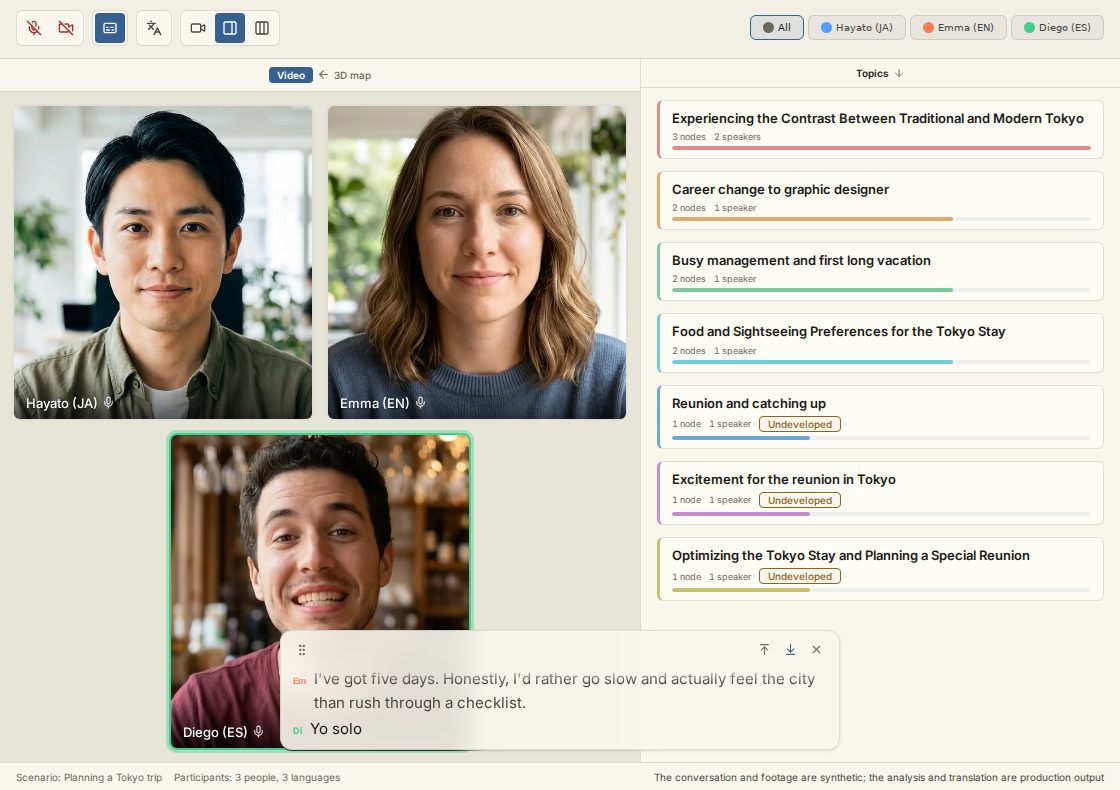
An ordinary video call
The other person's face comes through as it is.
Remarks gather by topic
While people talk, what they say gathers under the topics on the right. No one has to take notes.
Everyone picks their own language
The same conversation is interpreted into whichever language each person picked — to read and to hear.
Follow along in subtitles
What is being said also streams as subtitles, so you can follow the exact words with your eyes.
From departure to return
Where it helps
The first face-to-face call
Once the host family is decided, talk face to face once before leaving — so arrival day isn't the first hello.
During the stay: parents and host family in touch
Hear directly how your child is doing. Raise concerns without misunderstanding.
Saying thank you
Thank the family who took care of you — in your own words, face to face.
Familiar moments
You have things you want to say, but the words don't come
"How was your day?" gets a "Good", and the conversation ends there
You want to say thank you, but you don't know how to phrase it
Passing a translation app around the dinner table feels awkward
How it works
Just send a link. The other side needs no preparation
Create a room, switch interpretation on and pick their language, then send the link. They don't need an account.
You speak in your own language and it is interpreted into theirs as you talk, and they hear it as interpretation audio. Their real voice plays under the interpretation, so feeling and atmosphere are not lost.
The conversation is kept, organized by topic. You can go back later and reread what was talked about.



Creating an account is free — enough for one first call, about 10 minutes with your language and theirs.
Start for freeFor the family
For parents
There is the worry of only hearing about life abroad through your child. Just having a way to talk with the host family directly changes how it feels to send them off. Conversations are kept as a record, so the family can reread them together later.
Free to start
Try it first, without signing up
- A real meeting demo where each person speaks a different language — open it without signing up. Watch it being interpreted as they talk, and gathered by topic as it goes.
- With a free account, you can try about 10 minutes with your language and theirs. Enough for that first call.
- For pricing details, see the pricing page.
Frequently asked questions
Common questions about the language gap, what the other side needs, pricing, and how your data is handled.
What if I can barely speak the language?
How is this different from a translation app?
How is this different from sending an email or a letter?
Does the host family need to prepare or pay anything?
How far does the free tier go?
Does it work on a phone?
Is it only for one-on-one calls?
Can it be used with languages other than English?
Is the call recorded and kept?
Do you analyze the video?
Who can see a meeting?
Is the conversation kept?
Talk with your host family, with live interpretation.
With a free account, you can try about 10 minutes with your language and theirs. Enough for that first call.
Start for freeThe other side needs no account — they join by opening the link.